Clock in on site.
Checked by the phone.
Your team tap to clock in on their own phone. The phone's GPS checks they are at the site. The office sees who is on site right now, approves the week's timesheets and downloads the hours for payroll in one spreadsheet.
Coming soon. It works in the phone's web browser, so there is nothing to download.
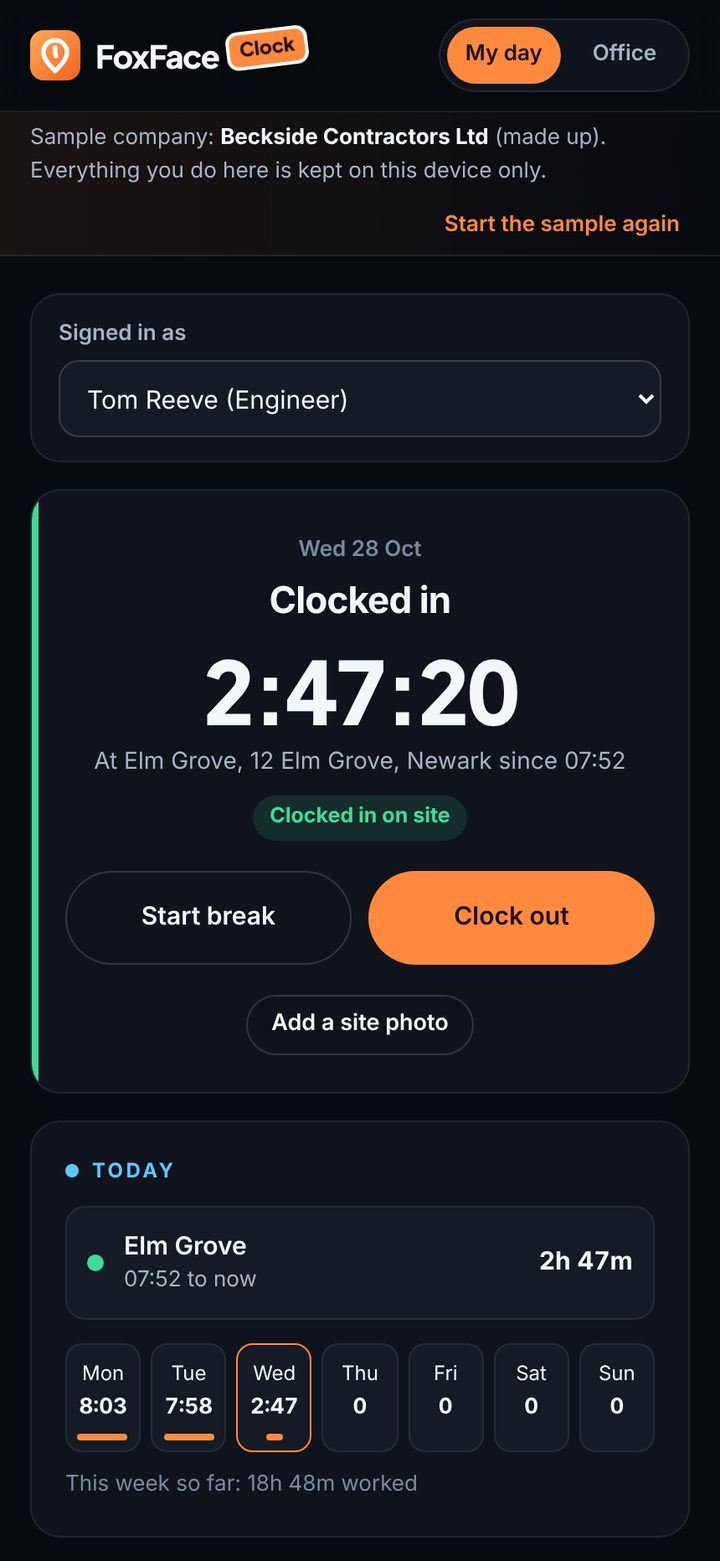
Who is on site right now
One screen for the whole team as it stands this minute, and the week's hours ready when it ends.
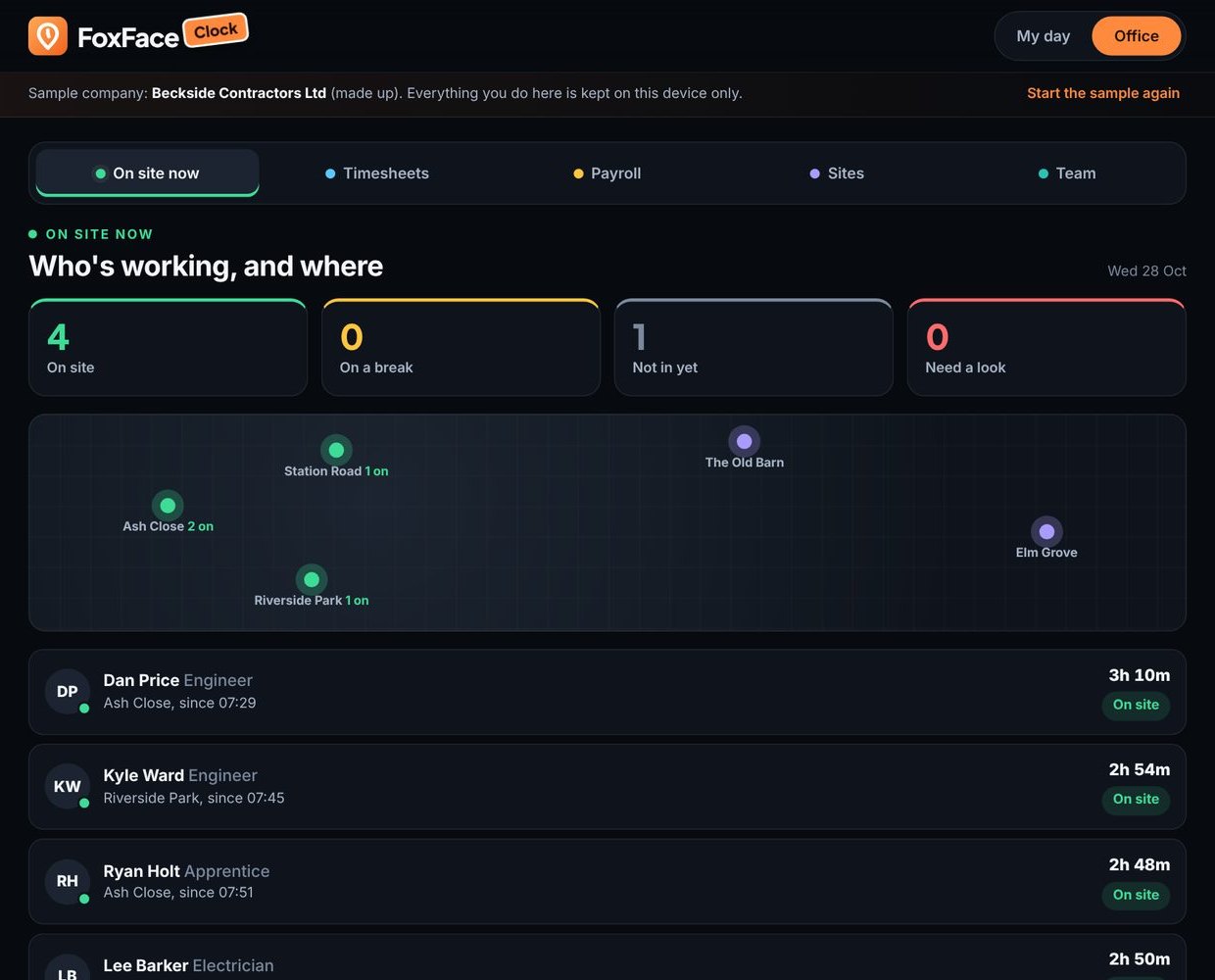
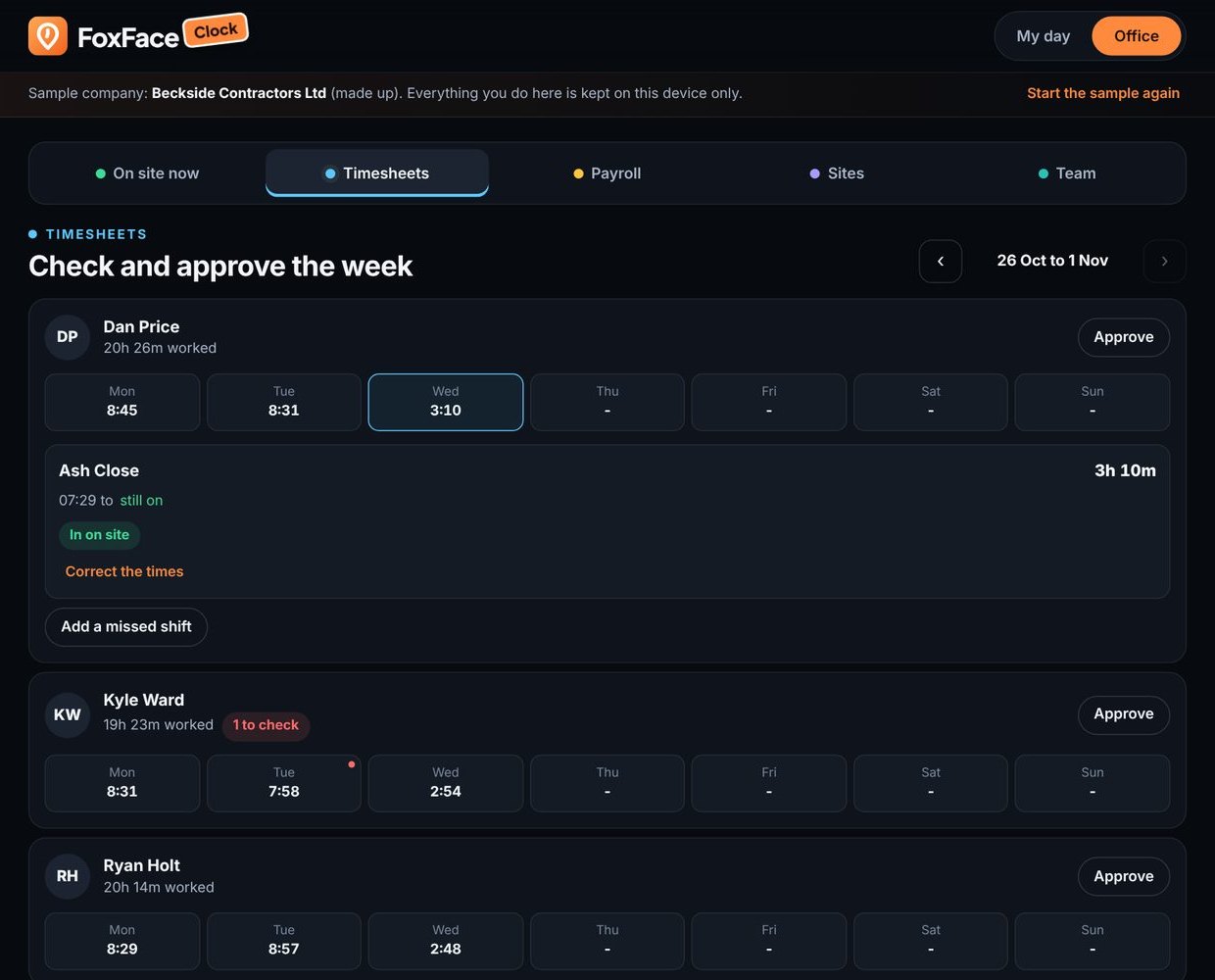
One tap, checked against the site
They tap Clock in on their own phone, its GPS checks they are inside the site's boundary, and the office sees it the moment it happens.
Hard to fake, and nobody blamed for a bad signal
The checks are there to keep the hours honest, not to catch people out when their phone cannot find a satellite.
- Away from the site, they say why and take a photo
- No clock-in with location switched off
- A clock-in on the same spot as another day is flagged
Location on the two taps. Never in between.
The phone's location is taken when they tap Clock in and when they tap Clock out, and at no other time. Nobody is tracked through the day, at lunch or on the drive home.
- Breaks tapped on and off
- Site photos kept with the day
- A reminder to clock out, never an automatic one
The hours ready for your accountant
When the week ends, everyone's approved hours, overtime, deductions and VAT come out in one download.
- Overtime split out from the normal week
- CIS worked out at the rate they are registered for
- A site added by postcode, or pinned by the first person there
No more paper timesheets
Paper timesheets
- Handed in late, wrong or not at all
- Nobody can say who was on which site
- Hours added up by hand on a Friday
- Overtime and CIS worked out separately
- Typed up again for the accountant
FoxFace Clock
- Tapped in on site, on their own phone
- Checked against the site by GPS
- The week worked out from the clock-ins
- Overtime, CIS and VAT worked out
- One spreadsheet for the accountant
Any business with people working on sites
If your team start the day somewhere other than the office, Clock is built for you. There is no price yet.
Good to know
Do they need to download an app?
No. Clock works in the phone's web browser, so you send the link and they are ready. An App Store version will follow later.
Is anyone tracked through the day?
No. The location is taken when they tap Clock in and when they tap Clock out, and at no other time.
What if the signal is weak?
The clock-in still counts and is marked "location unclear", so nobody is in trouble for a bad signal.
What if they are not at the site?
They can still clock in, but they say why and take a photo, and the office sees both.
What if they forget to clock out?
The phone reminds them. It never clocks anyone out by itself, so the hours stay their own.
How much is it?
There is no price yet. Join the waiting list and we will tell you as soon as it is ready for your team.

Be first to try FoxFace Clock
There is no price yet. Leave your email and we will tell you as soon as it is ready for your team.
Clock works in the phone's web browser. An App Store version will follow later.