Every window checked.
In a minute.
Enter the outdoor unit and what sits around it, add the neighbouring windows, and Noise Check tells you straight away whether an air source heat pump or air conditioning unit meets the MCS 020 a) limit at every window. The wording for your proposal and a PDF report come with it.
On iPhone and iPad. Everything is kept on your phone.
Four steps, on site
Everything is asked in the order you would measure it, with the usual answers ready to pick.
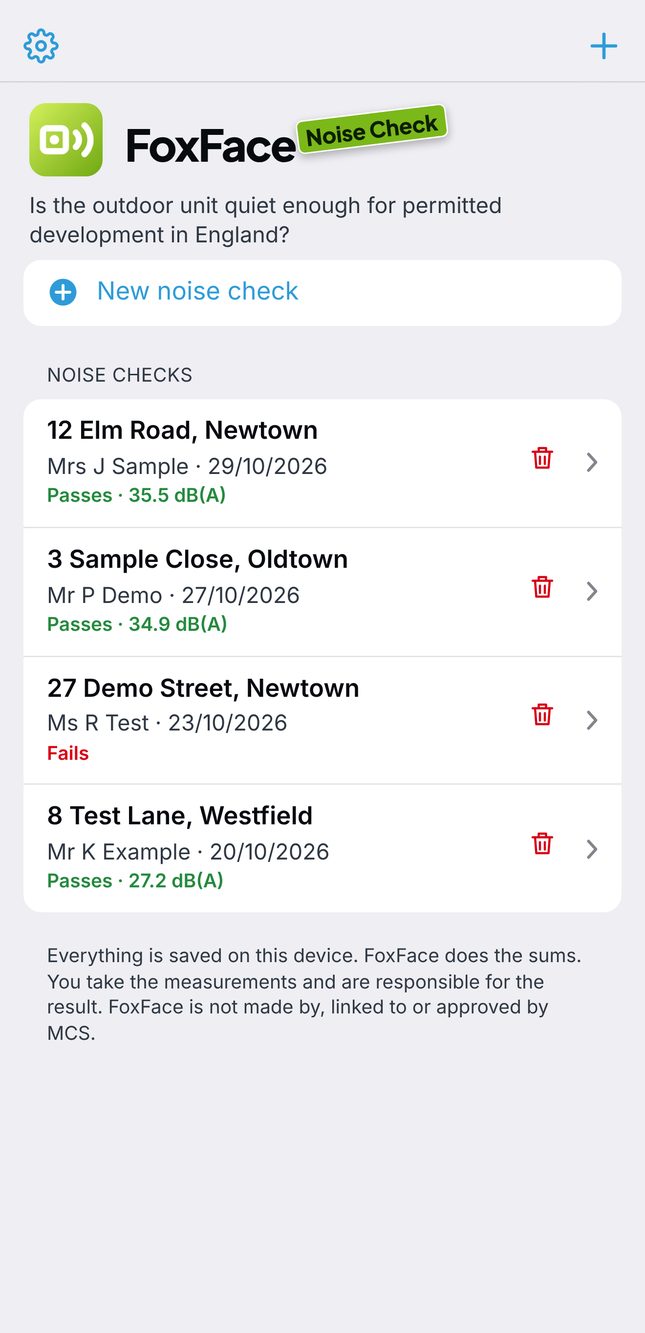
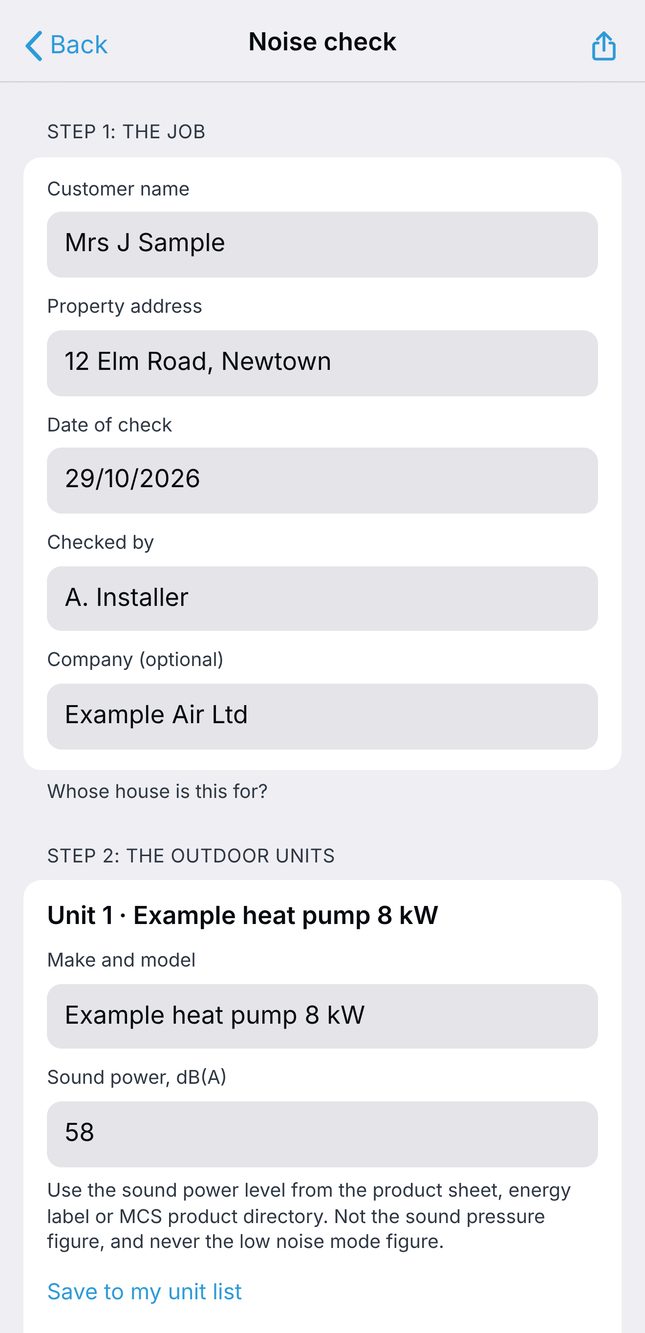
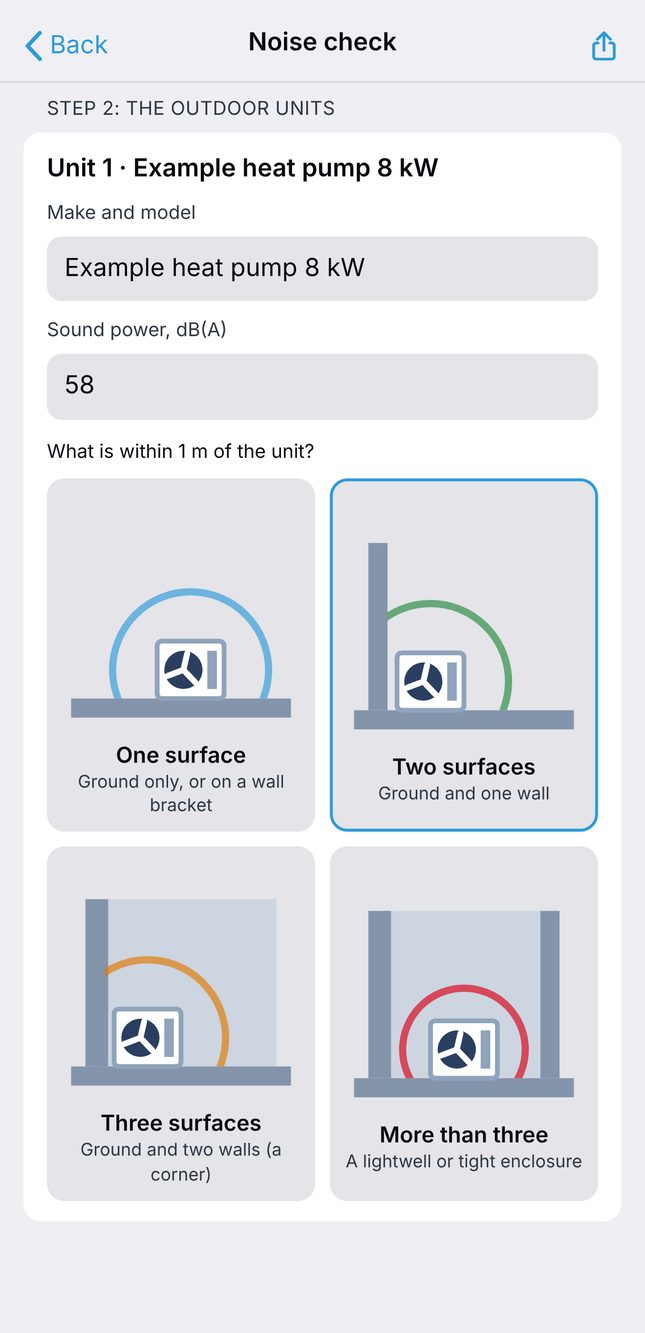
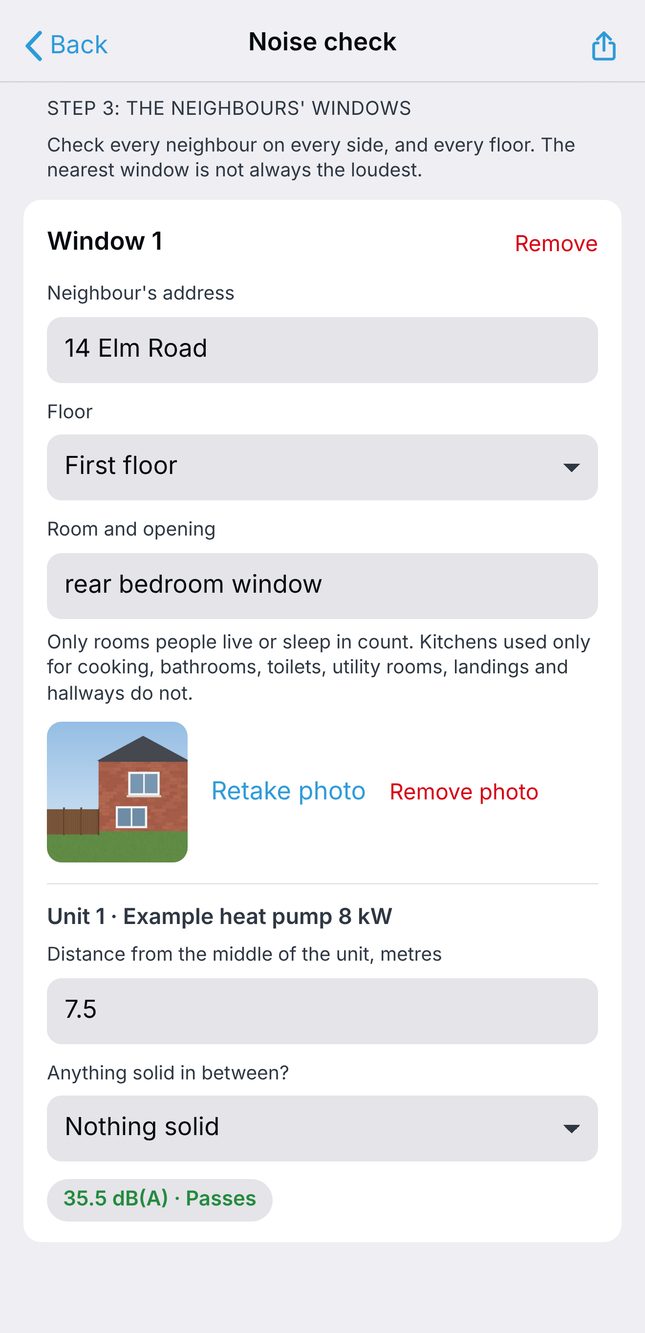
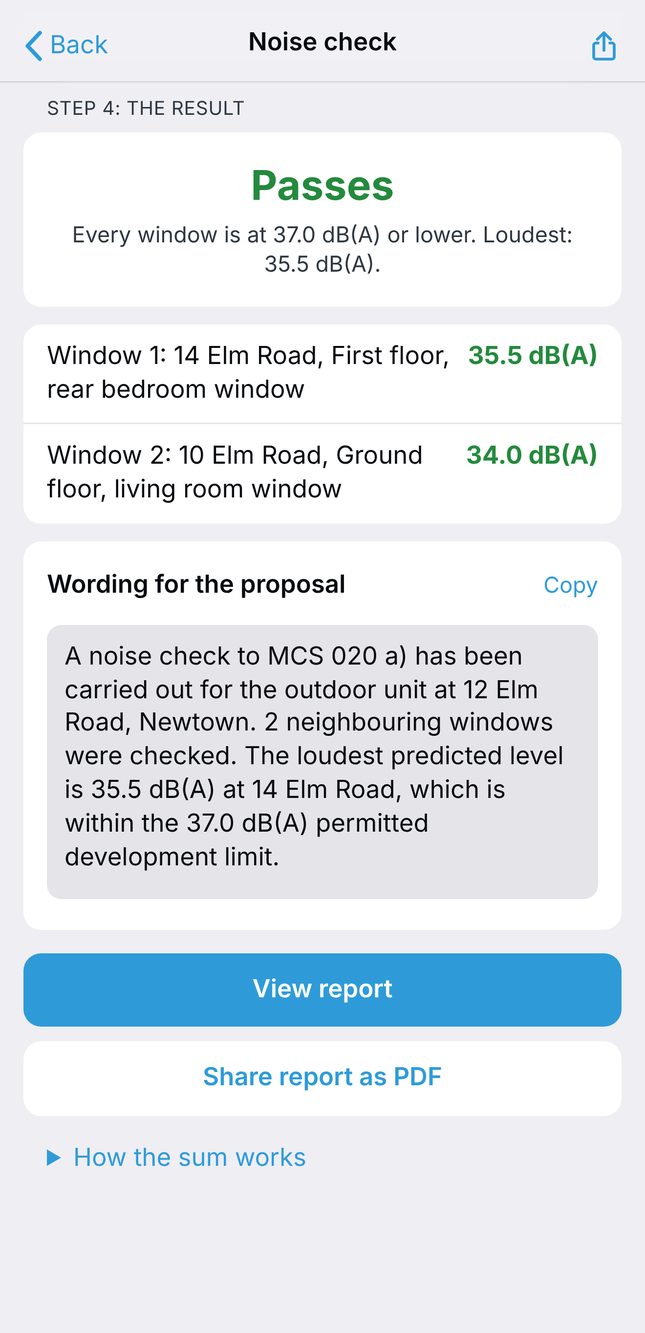
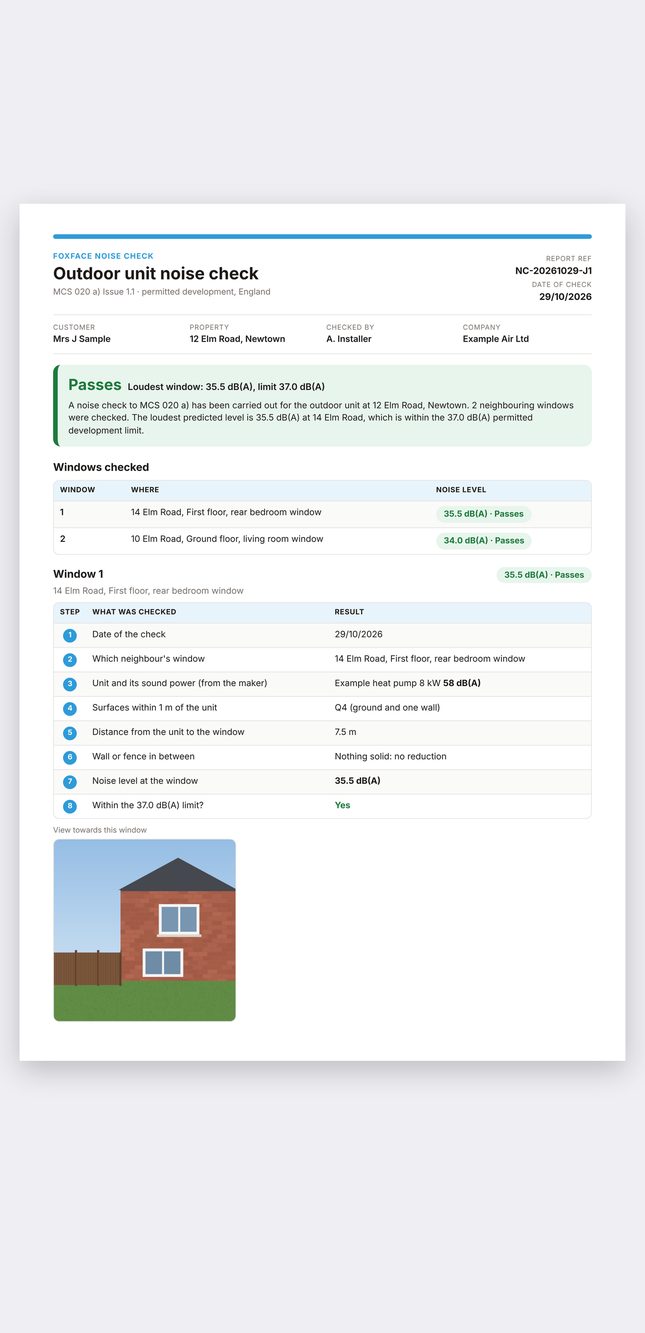
Done on site, handed over on the spot
The same sum every time, done properly every time, with the working shown.
Pass or fail at every window
Add every neighbour's window, on every side and every floor. Noise Check works out the level at each one and picks out the loudest.
- Checked against the 37 dB(A) limit
- Several outdoor units added together
- The loudest window picked out
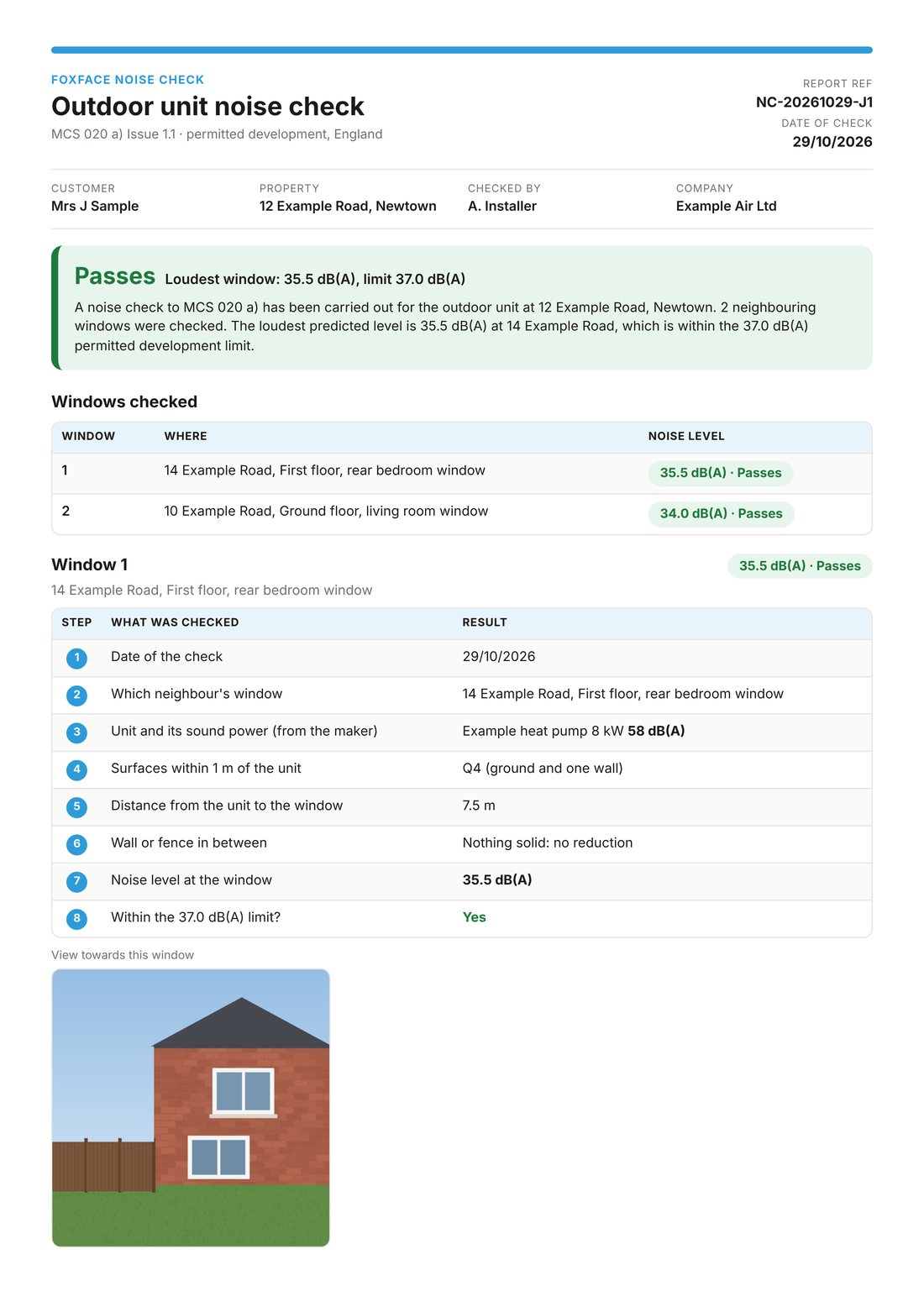
A report you can hand over
The sum is shown in full, so anyone checking it can follow it line by line.
- The wording for your proposal, ready to copy
- A PDF report to share from your phone
- A photo of each window in the report
Built into every FoxFace Aircon job
The noise check is part of the survey in FoxFace Aircon, so the assessment sits with the job it belongs to.
- A noise check button on every FoxFace Aircon job
- On an iPhone or iPad, it opens Noise Check with the customer and the address already in
- On any other phone, tablet or computer, the same check runs right there in FoxFace Aircon and is saved with the job


No more sums on the bonnet
By hand
- Look up the tables in MCS 020 a)
- Do the sum on the bonnet of the van
- Add two units together by hand
- Write the proposal wording yourself
- Hope nobody asks to see the working
FoxFace Noise Check
- Pick the answers and the sum is done
- Every window checked against 37 dB(A)
- Several units added together for you
- The proposal wording written for you
- A PDF report with the sum in full
Pay once, or once a year.
No free trial, and nothing to cancel on the one-off.
For a homeowner
Three noise assessments, paid once.
- Three noise assessments
- The full PDF report
- The wording for the proposal
- No subscription to cancel
For installers and surveyors
For companies doing noise assessments week in, week out.
- Noise assessments week in, week out
- Save your usual outdoor units
- The full PDF report
- The wording for every proposal
Good to know
Which rules does it follow?
MCS 020 a) Issue 1.1, the method for permitted development in England. Scotland, Wales and Northern Ireland still use the older MCS 020, which Noise Check does not cover.
Is it made or approved by MCS?
No. It follows MCS's published method and is checked against the worked examples in it, but it is not made or approved by MCS.
Where do I find the sound power?
On the product sheet, the energy label or the MCS product directory. Use the sound power level, not the sound pressure figure, and not the low noise mode figure.
Can it check more than one outdoor unit?
Yes, as many as the job needs. Their levels at each window are added together for you.
Where is my information kept?
On your phone. Nothing leaves it unless you share the report.